Chapter 5 — Load a Skill You'll Actually Use
What Is a Skill
WorkBuddy itself handles understanding tasks and organizing execution; a Skill is a reusable set of instructions, scripts, reference material and resources that tells the Agent how a certain kind of task should be done, which tools to call, and what format to deliver.
Anthropic officially launched Agent Skills in October 2025, and published them as an open standard in December 2025.
A most standard Skill looks roughly like this:
my-skill/
├── SKILL.md
├── scripts/
│   └── check.py
├── references/
│   └── guide.md
└── assets/
    └── template.pptx
Only SKILL.md is required.
---
name: tech-article-writing
description: For writing articles about AI products, model reviews and the tech industry
---

When you receive a writing task:

1. First confirm the article's core angle
2. Find primary sources
3. Cross-check core facts
4. Complete the draft in the user's writing style
5. Check banned phrasing and AI-sounding expressions
You can also include:
references/style.mdHow a Skill Works
The most important design behind a Skill isn't actually SKILL.md — it's Progressive Disclosure.
Say your Agent has 100 Skills installed.
It doesn't dump all 100 Skills' full content into the context at once. That would waste tokens and flood the model with irrelevant instructions.
The standard approach has three layers.
First layer: at Agent startup it only looks at every Skill's name and description.
For example:
pptx
Handles PowerPoint create, edit, read tasks

pdf
Handles PDF extract, merge, edit, fill tasks

tech-article-writing
Writes AI and tech-industry articles
Second layer: when the user says:
Write a WeChat article about WorkBuddyThe Agent judges from the description that tech-article-writing may be relevant, and only then loads the full SKILL.md.
Third layer: during execution, if it finds it needs to imitate your writing style, it then reads:
references/style.mdIf it needs to check for AI-sounding text, it then runs:
scripts/check-ai-phrases.pyThe standard recommends that all Skills load only tens to hundreds of tokens of metadata at startup, load full instructions after a Skill is activated, and keep loading other material and scripts on demand. OpenAI Codex uses a similar mechanism: it first exposes Skill names, descriptions and paths to the model, then reads the full content when the model decides to use it.
So a Skill solves a long-standing Agent problem:
How to give an Agent lots of knowledge and working methods without stuffing everything into the prompt forever.
What's the Difference Between a Skill and a Prompt
This is the core question.
| Dimension | Prompt | Skill |
|---|---|---|
| Core role | Describes the current task | Defines how a class of tasks is done |
| Lifecycle | Usually for one request | Long-term reusable |
| Trigger | User actively enters it | Agent auto-selects or user explicitly invokes |
| Carrier | Mostly text | A folder |
| Content | Instructions, context, examples | Instructions, scripts, material, templates, resources |
| Context cost | Usually enters context directly | Loaded on demand |
| Reuse | Often copy-pasted | Natively reusable |
| Sharing | A prompt text | A complete capability pack |
| Execution | Itself only instructions | Can call bundled scripts and tools |
| Model params | Doesn't change | Doesn't change either |
The simplest way to understand it:
Prompt = the task
Skill = how to do it
What Skills Are Good For
The first use is giving the model procedural knowledge. Large models know a lot, but they may not know how your specific thing should be done — for example it knows SQL, but not your company's:
Which table holds the canonical user_id
The subscriptions table is append-only
Refund queries must exclude a certain status
What the corresponding Grafana dashboard ID is
This kind of knowledge is perfect for a Skill. Anthropic uses hundreds of Skills internally and found they cluster mainly in nine scenarios: API and internal library usage, product validation, data analysis, business-process automation, code scaffolding, code review, CI/CD, incident runbooks and infrastructure ops.
The second use is locking down complex workflows, like running an industry research pass.
A plain prompt might be:
Do a detailed research pass on WorkBuddyThe model re-thinks every time:
Where to find materials
What to check first
How to validate
Who to compare against
What structure to output
A Skill can fix the flow:
1. Official website
2. Official WeChat account and launch events
3. Product docs
4. Actual product testing
5. Comparison with similar products
6. Core-point distillation
7. Fact-checking
This kind of capability is called an Encoded Preference Skill. The model could already do each step individually, but the Skill organizes those steps the way a team or individual works.
Another kind is a Capability Uplift Skill — it supplements a capability the model can't do well or stably, such as complex document, PDF and PPT handling.
The third use is cutting down repeated prompts.
When you work with AI now, a lot of what you say is repeated. For example you often tell me:
Don't write too AI-sounding
Mix long and short sentences
Don't over-use bullet lists
Have your own judgment
Be restrained with technical content
Don't make up examples
These are naturally suited to a writing-style Skill.
From now on your prompt only needs:
Write a WorkBuddy articleWriting habits, source standards, banned expressions, article flow — all provided by the Skill.
The fourth use is turning personal and organizational experience into assets.
The biggest problem with traditional prompts is they tend to scatter across:
Chat history
Feishu docs
Notion
Someone's head
A Skill is a file, so it can:
Be Git-managed
Roll back versions
Be shared across a team
A/B tested
Auto-evaluated
Continuously updated
This matters a lot.
Find a Suitable Skill in WorkBuddy
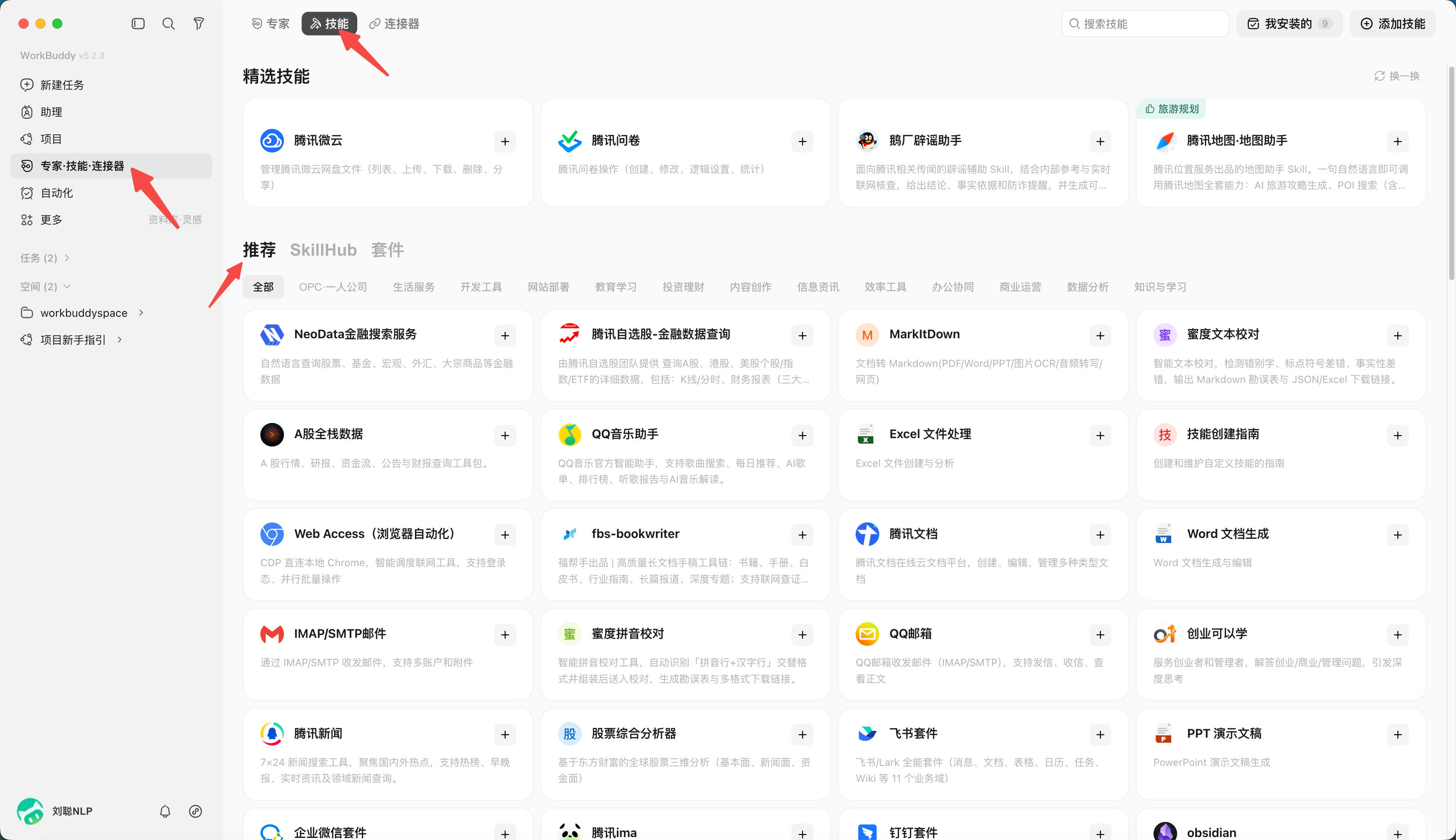
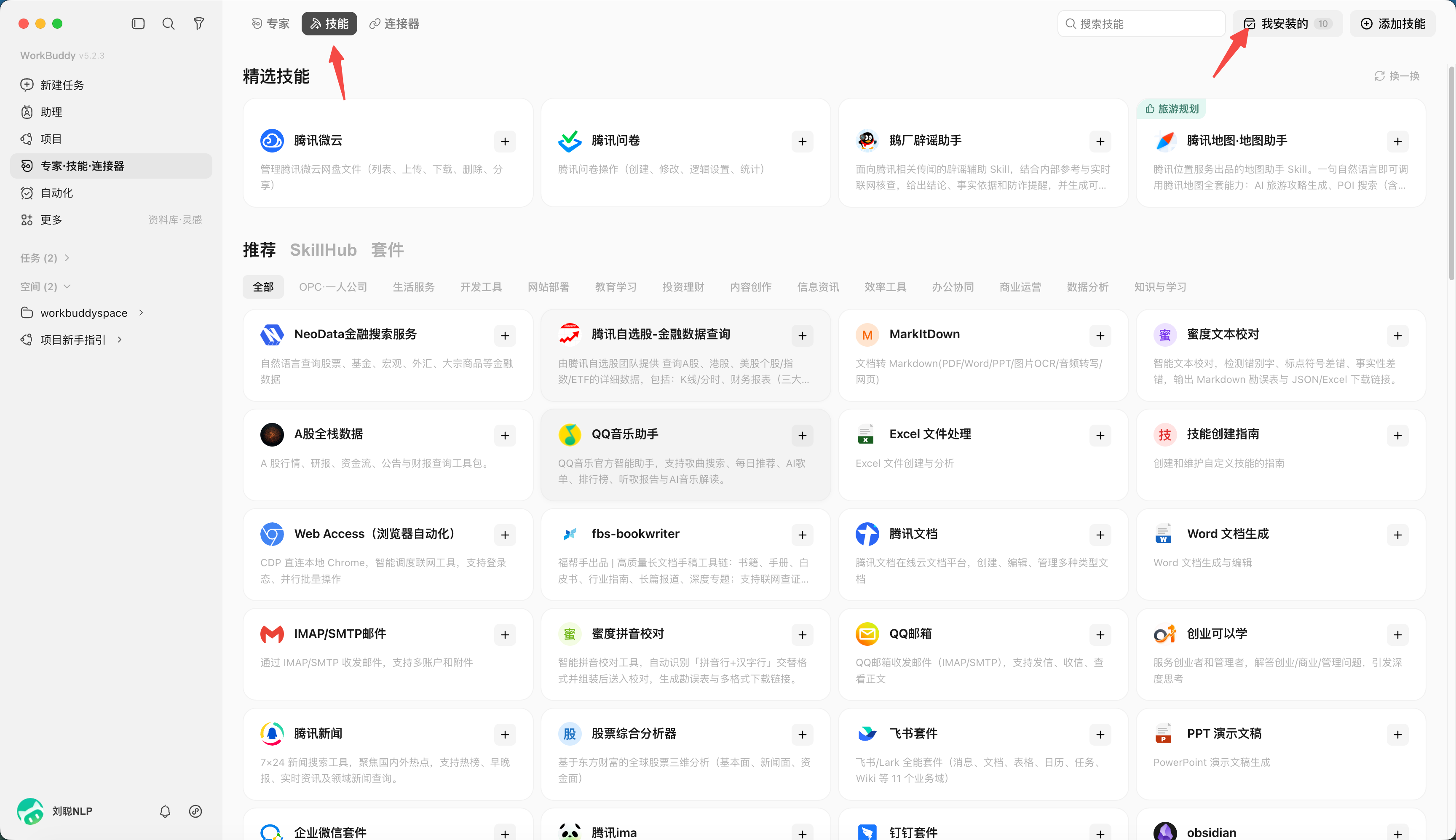
Open "Experts · Skills · Connectors" on the left; you can search the skill market or describe your need with "Find a skill".
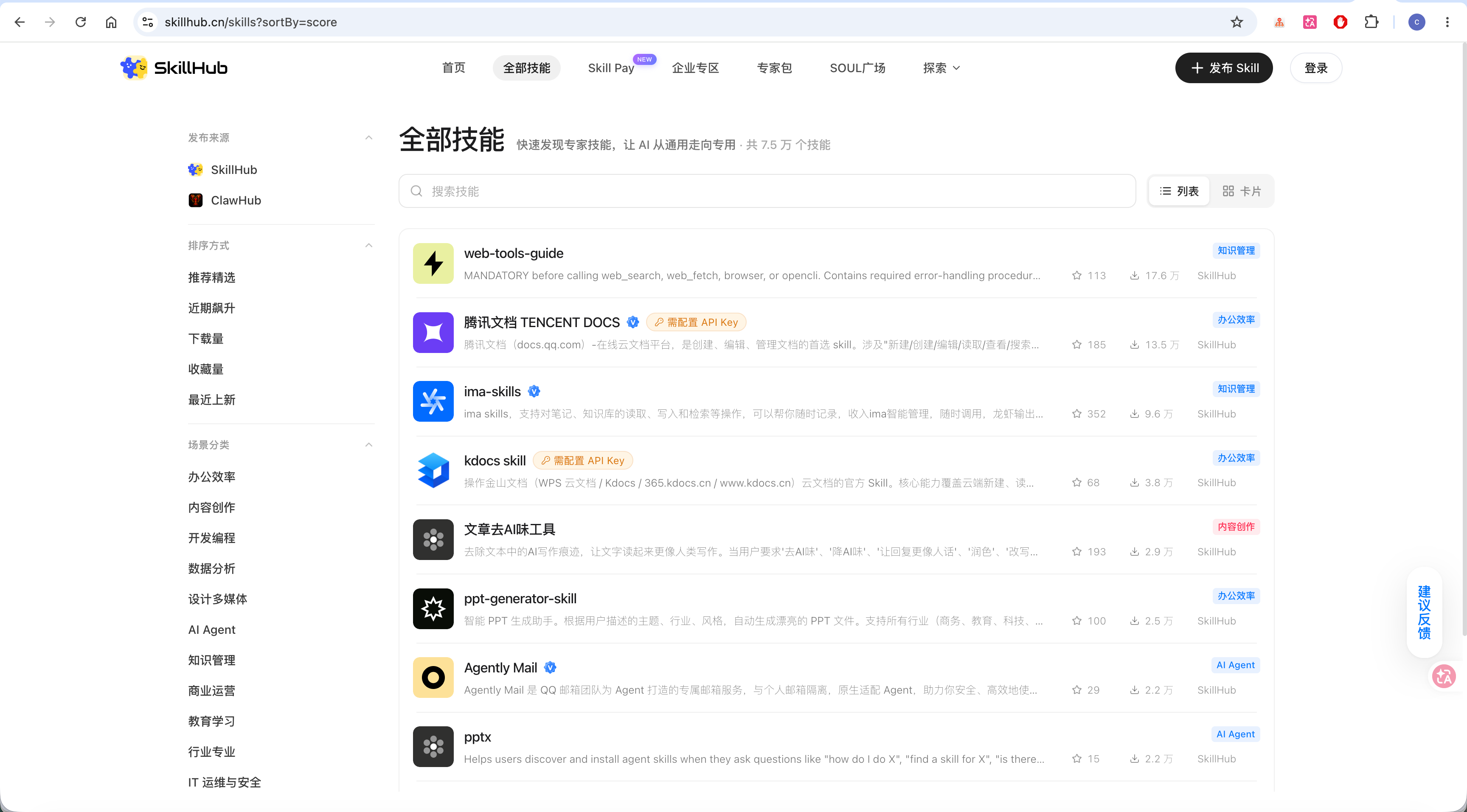
You can also find a suitable Skill in the SkillHub market.
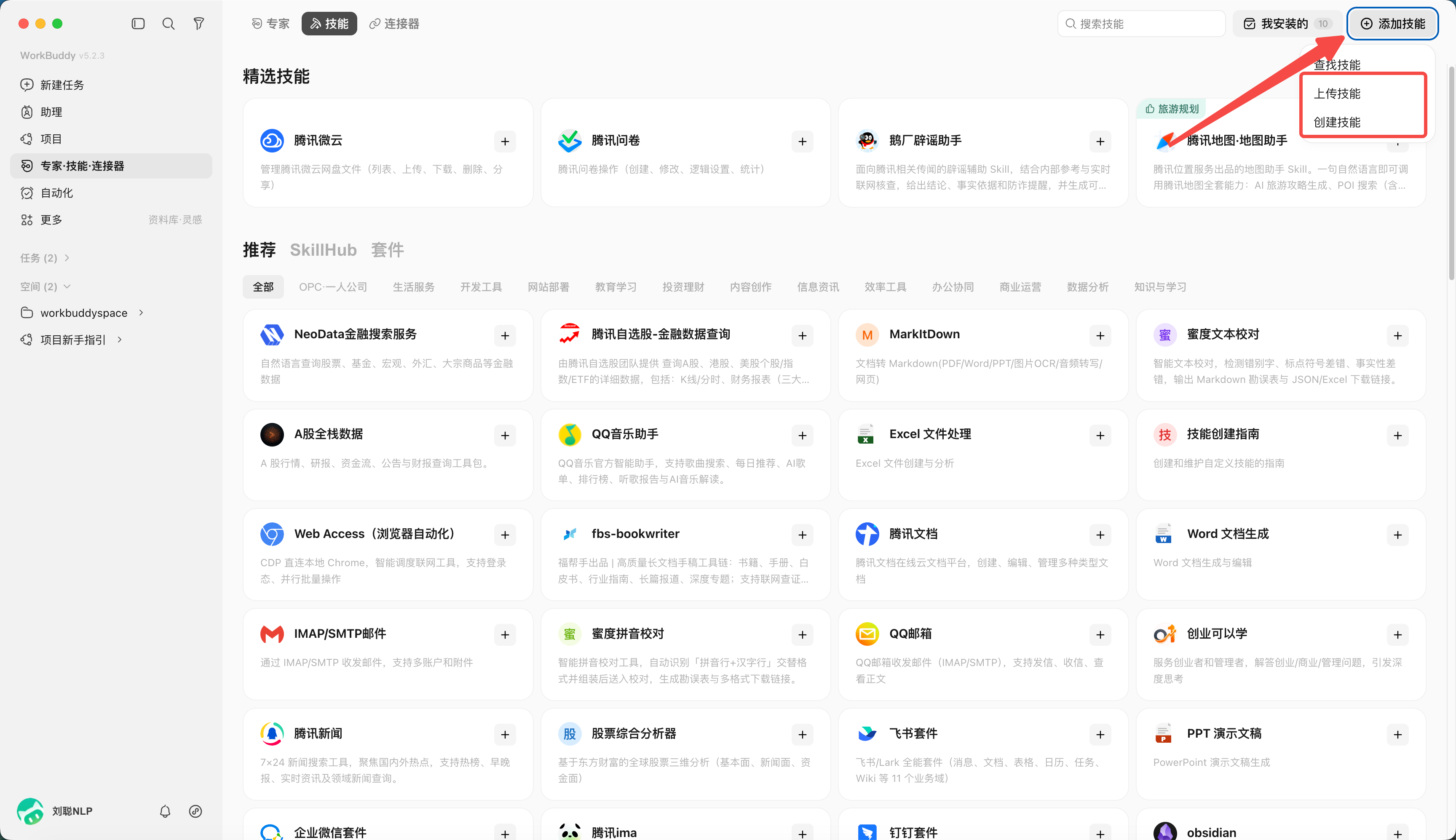
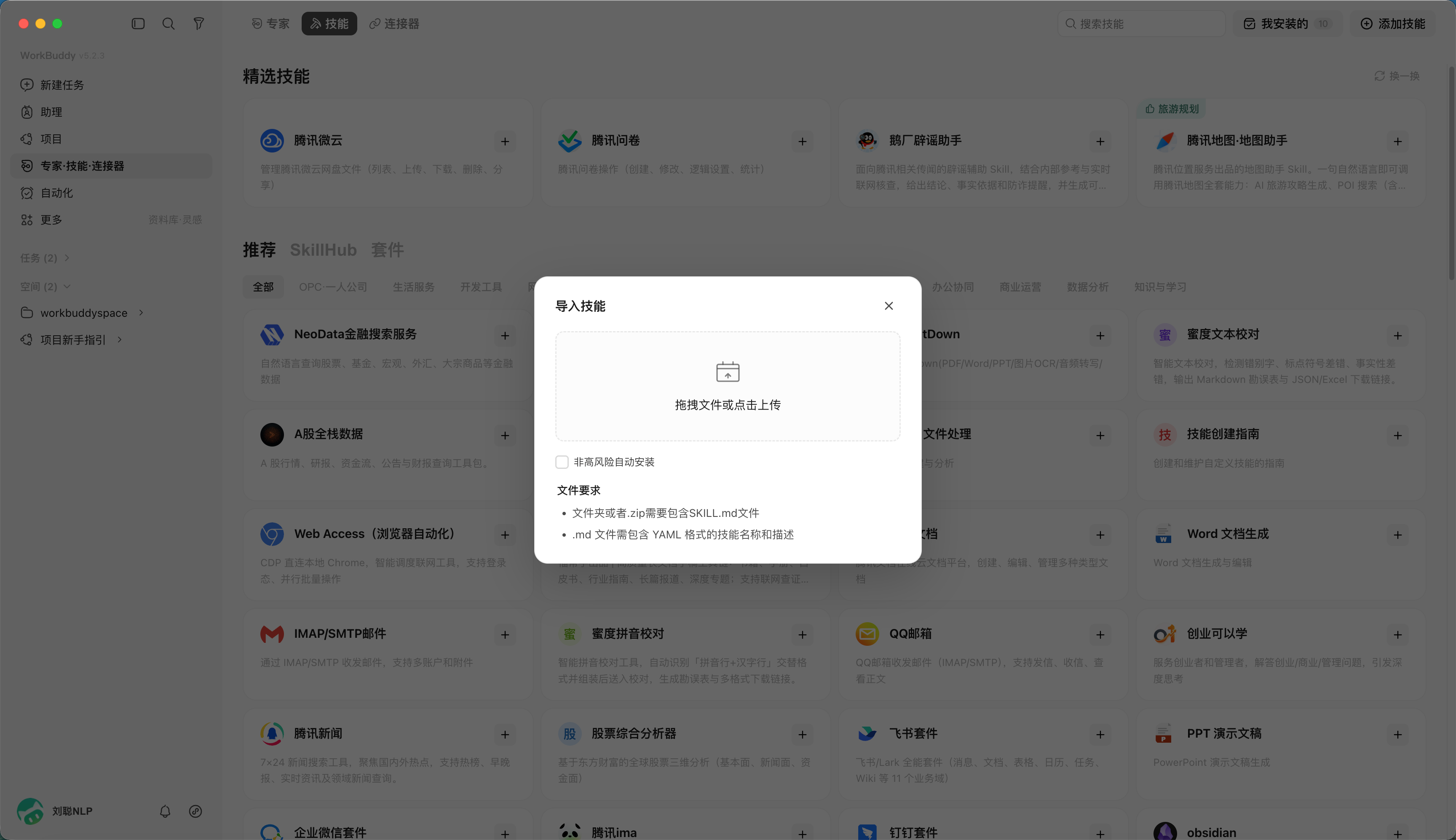
Besides installing directly from the recommended list, you can also import a skill you downloaded yourself.
For example, you find a useful skill pack online and download a zip; the flow is: click "Upload Skill" and load the zip.
Use a Skill to Solve a Task
For example, you had the AI write an article and need to remove the AI-sounding tone. Find the "Article de-AI tool" Skill, install it, and when using it, type "/" to bring it up.
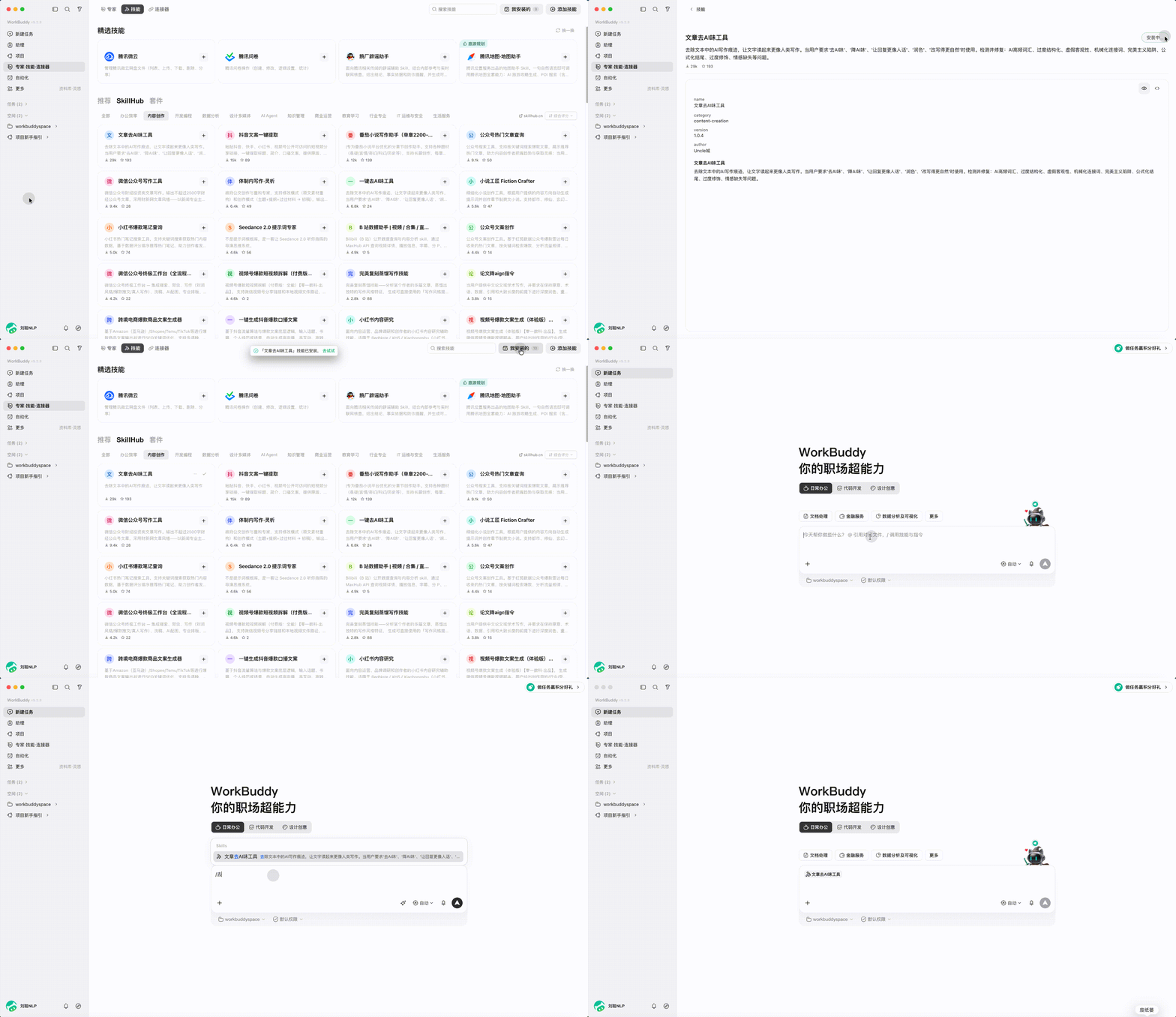
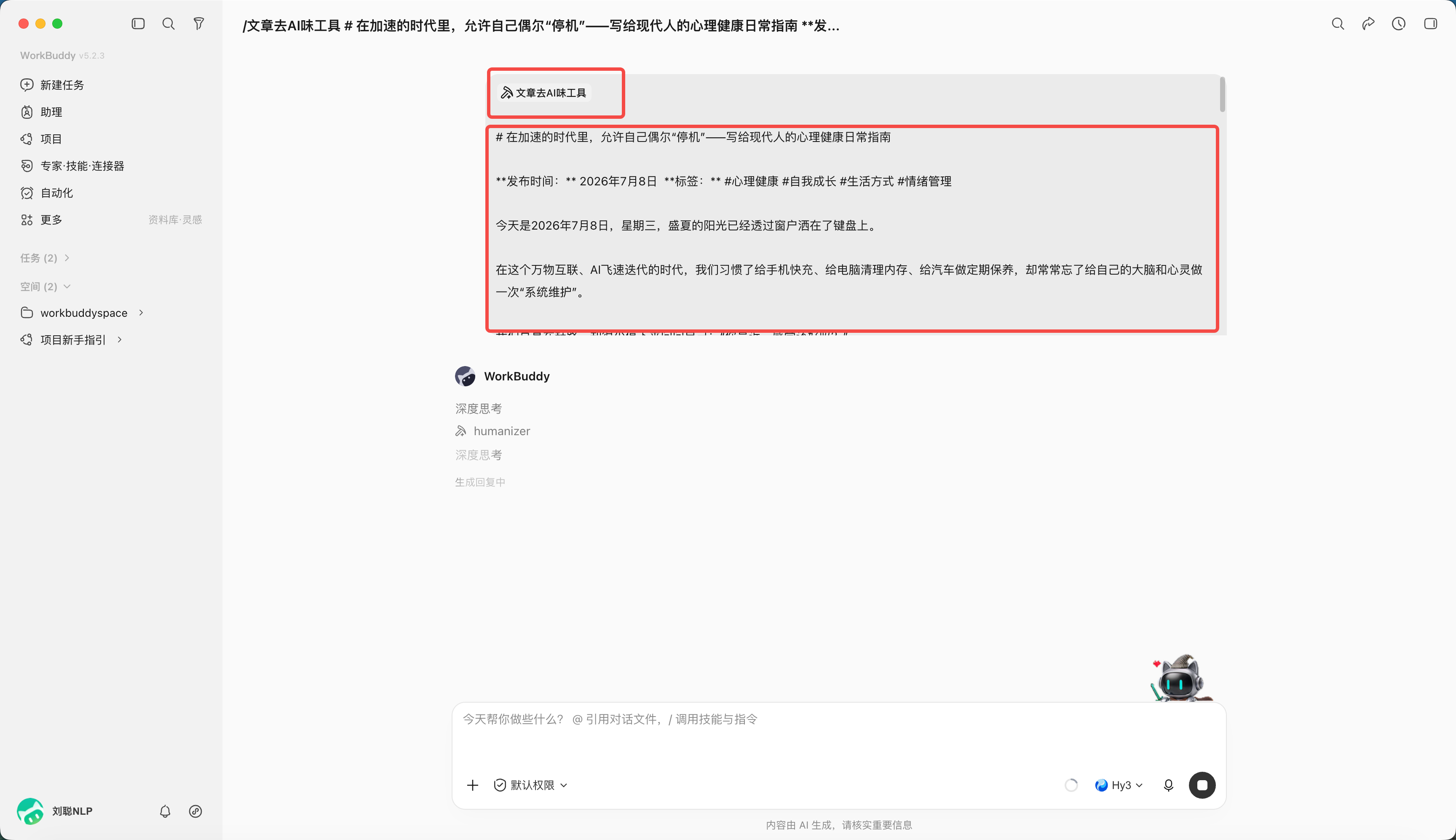
You just need to reference the Skill content and give it the article.
WorkBuddy will first load the Skill's content.
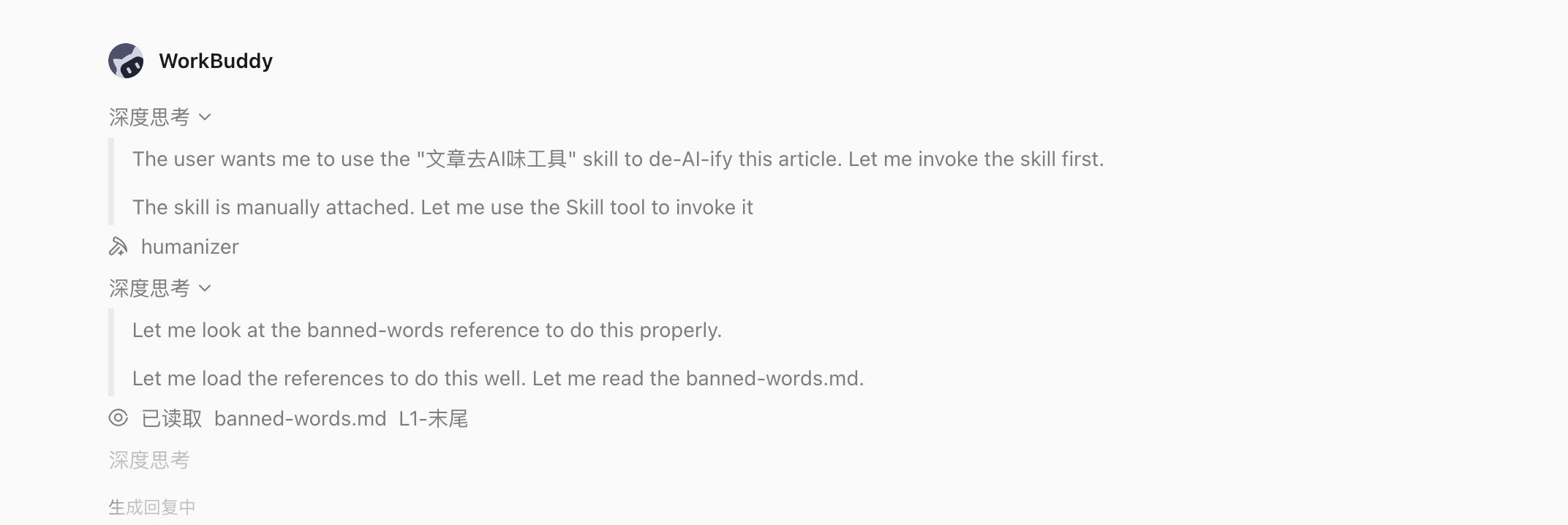
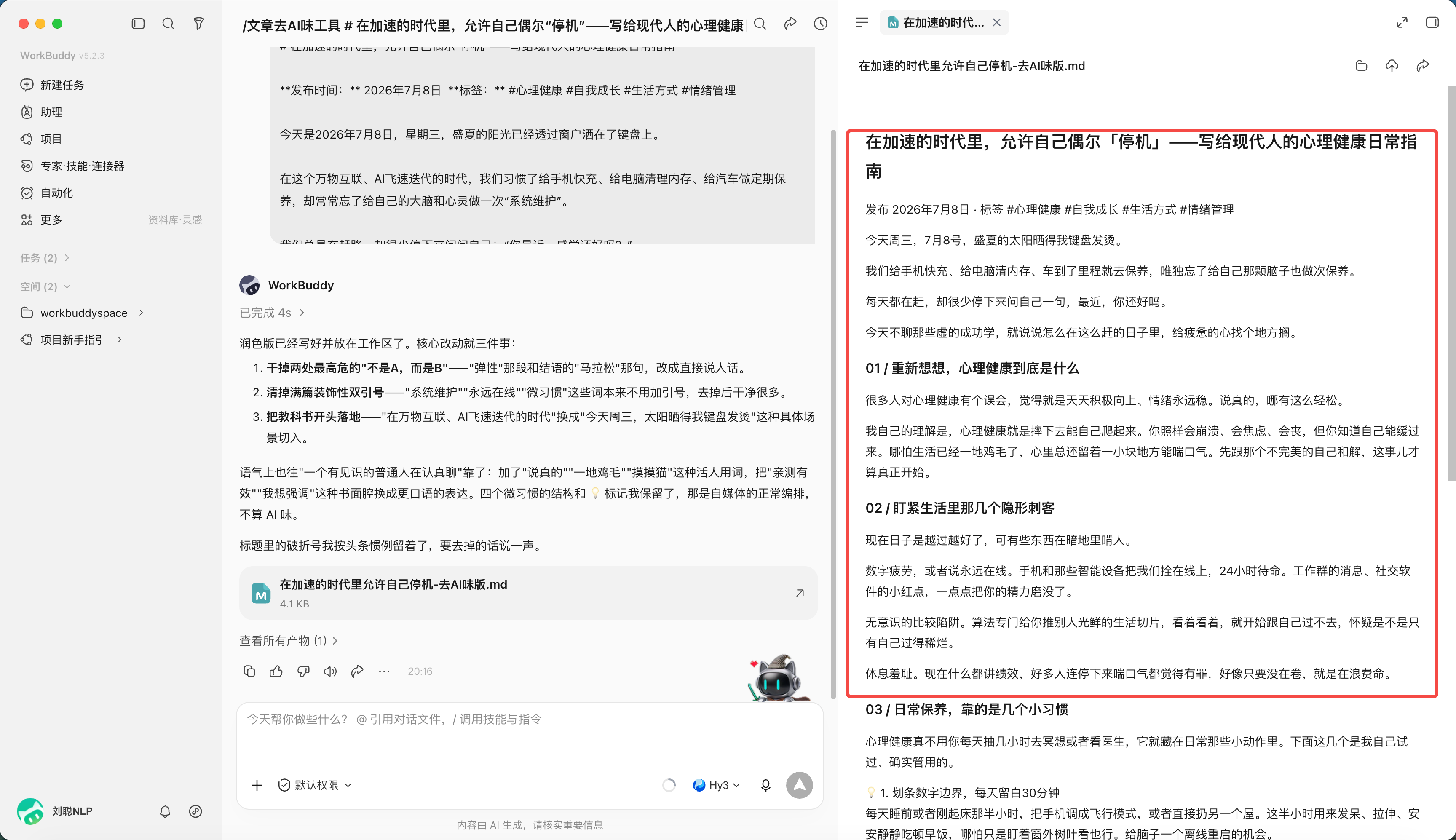
Then it follows the rules in the Skill — for example, removing phrases like "不是…而是…" and stray quotation marks.
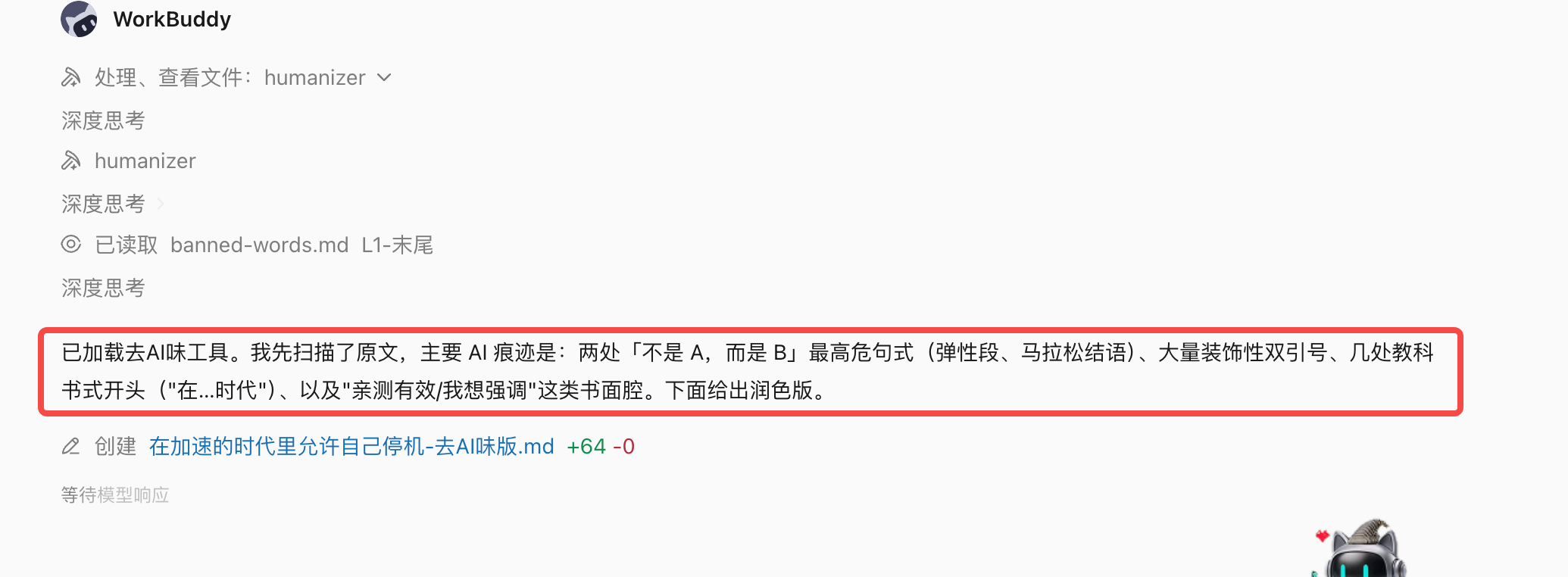
After editing, you get the result — the AI tone is indeed removed.
Disable and Uninstall a Skill
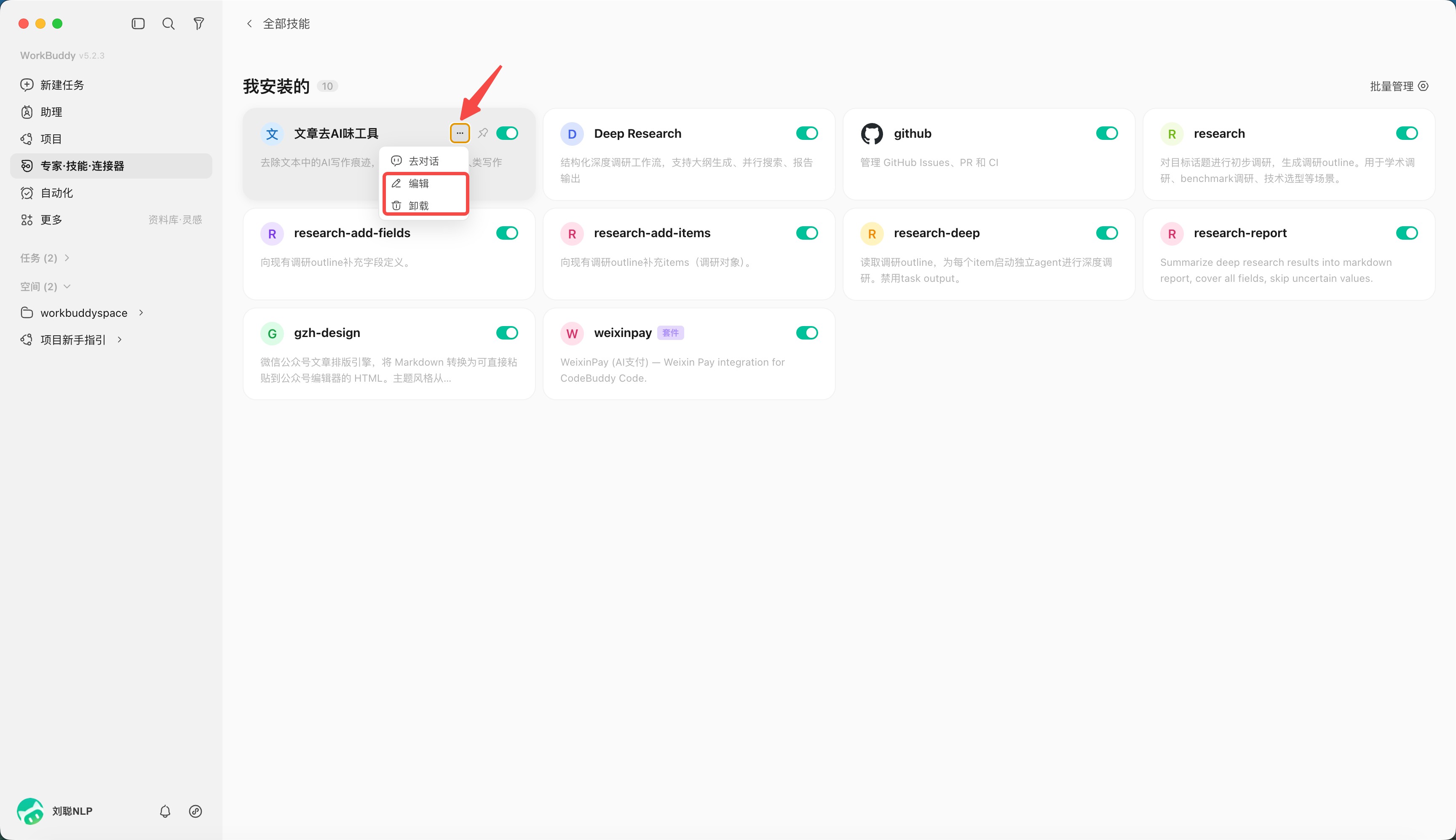
From all skills, click "My installed".
Click the button to disable (turning that Skill off).
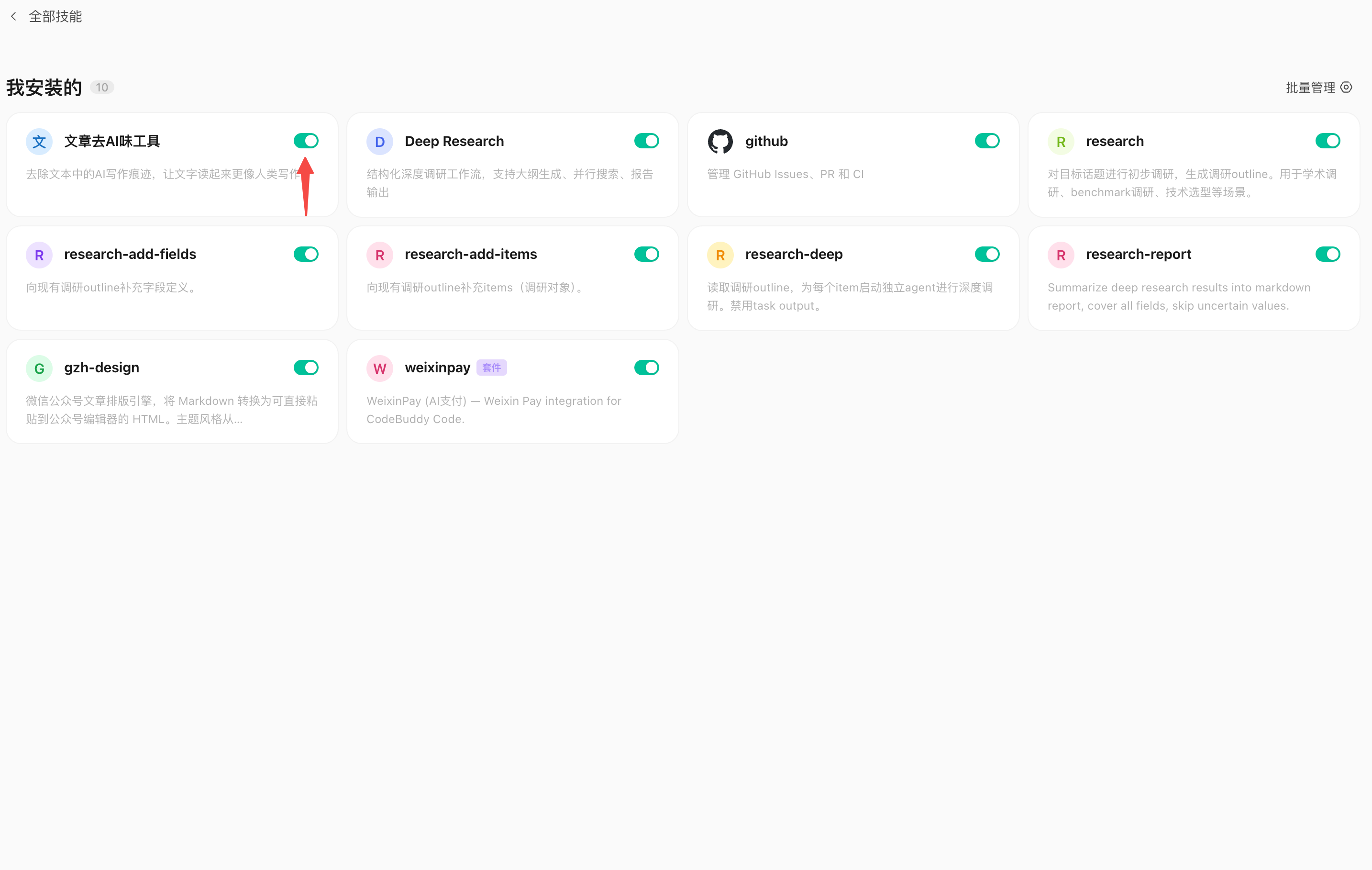
Click "···" to delete or edit the Skill.